
Online Laytime Calculator Tool
Professional Laytime & Demurrage Calculation Solutions for Dry Bulk Industry
Welcome to our dry bulk laytime calculation platform.
In bulk carrier operations, precise determination of time used is critical—it directly impacts demurrage, despatch, and overall voyage economics. Even minor miscalculations can lead to significant commercial exposure or disputes.
Our system is purpose-built for the dry bulk sector, incorporating the operational and contractual nuances that matter in practices of laytiem calculations. This includes accurate handling of Weather Working Days (WWD), and time counting exceptions during laytime or during demurrage.
The result is a reliable, transparent calculation framework you can confidently use for both voyage execution and post-fixture claims analysis.
Laytime Calculator Pro_V1S.02
Optimized for standard loading or discharging at a single port operation irreversible basis. Features full SOF logging and .hsb state-saving for later editing.
Laytime Calculator Pro_V1M.01
Optimized for global reversible fixtures across multiple loading and discharging ports. Features multi-SOF integration and .hsb state-saving.
User Manual: Master Your Calculation
Welcome to the industry-leading portal for dry bulk laytime calculations. In the volatile world of bulk carrier operations, accuracy in “time used” is the difference between a successful fixture and a costly dispute. Our tools are engineered specifically for the Dry Bulk Sector, accounting for the complex weather working day (WWD) logic, sea-line exclusions, and the specific Charter Party terms (like Gencon, Cementvoy, Norgrain, or Amwelsh) that govern your cargo.
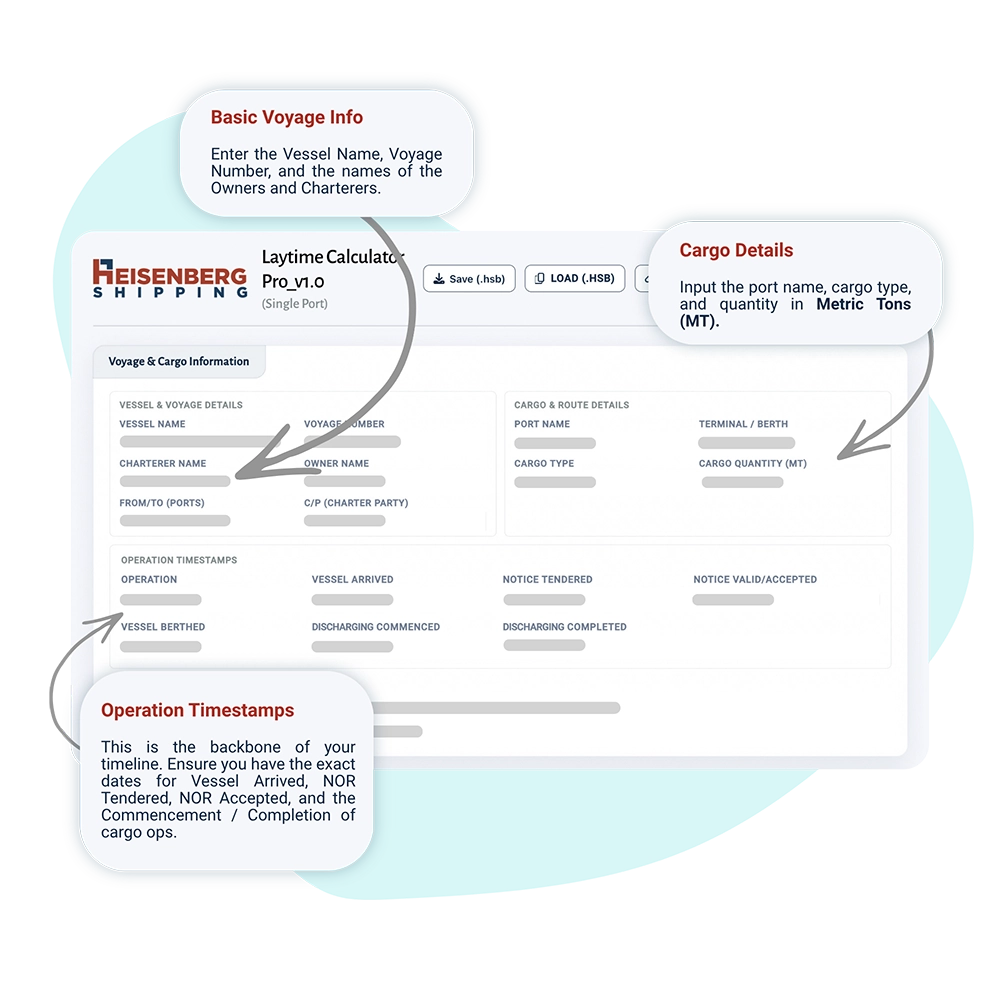
1. Getting Started: Voyage & Cargo Info
The first step is establishing the context. This data forms the header of your final report.
-
Vessel & Voyage Details: Enter the Vessel Name, Voyage Number, and the names of the Owners and Charterers.
-
Cargo Details: Input the port name, cargo type, and quantity in Metric Tons (MT).
-
Operation Timestamps: This is the backbone of your timeline. Ensure you have the exact dates for Vessel Arrived, NOR Tendered, NOR Accepted, and the Commencement/Completion of cargo ops.
2. Defining the Rules: Laytime Terms
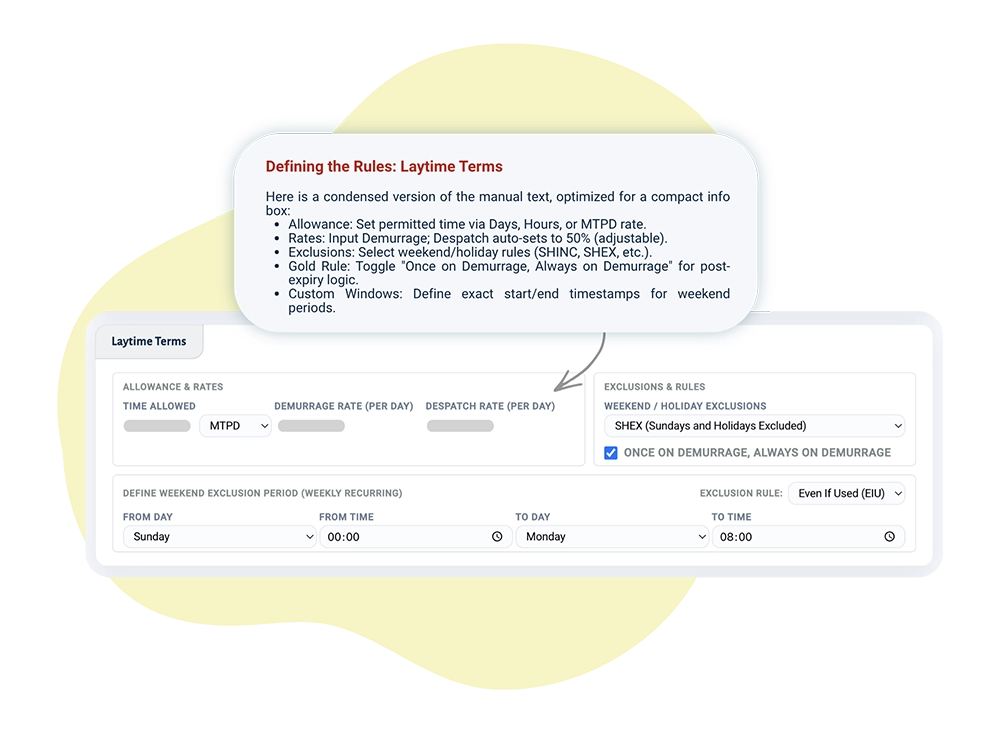
This section sets the “math” of the contract.
-
Allowance: Set your permitted time in Days, Hours, or as a rate (e.g., MTPD).
-
Rates: Enter the Demurrage Rate. Our tool automatically suggests a Despatch Rate at 50% (standard industry practice), but you can override this manually.
-
Exclusions: Select your weekend/holiday rule (SHINC, SHEX, SSHEX, or FHEX).
-
The “Gold” Rule: Use the Once on Demurrage, Always on Demurrage toggle. When active, the clock won’t stop for weekends once the allowed time has expired.
-
Custom Windows: If you use an exclusion rule, a menu will appear to define exactly when the “weekend” begins (e.g., Friday 17:00) and ends (e.g., Monday 08:00).
3. The Time Log: Statement of Facts (SOF)
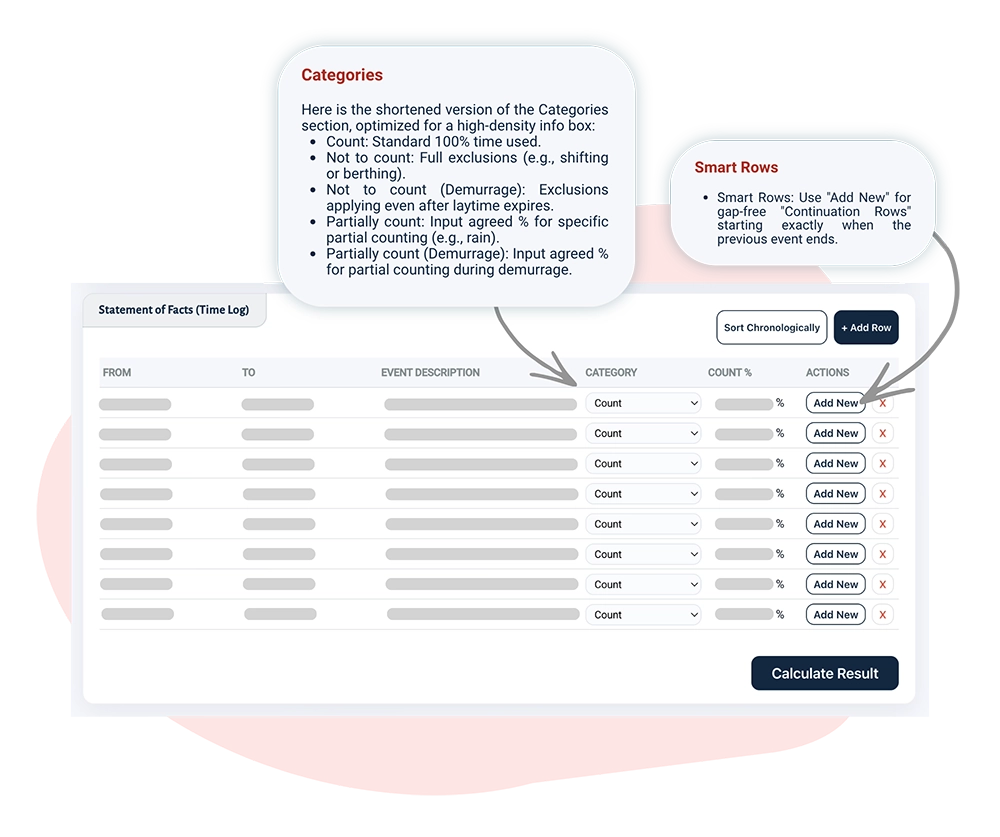
This is where you log the time sheet of the events in terms of laytime during the port stay.
-
Smart Rows: Use the Add New button on an existing row to create a “Continuation Row.” This automatically starts the next event at the exact second the last one ended—no gaps, no overlaps.
-
Counting categories are as below,
-
-
Count: Standard 100% time.
-
Not to count: Full exclusions (e.g., shifting or initial berthing) during laytime.
-
Not to count even on demurrage: Full exclusions during even on demurrage
-
Partially count: Perfect for partial laytime count. Just input the percentage agreed.
- Partially count even on demurrage: Perfect for partial time count during demurrage. Just input the percentage agreed.
-
-
Sorting: Don’t worry about the order you type them in; click Sort Chronologically to organize the timeline instantly.
4. Finalizing, Exporting and Data Management
-
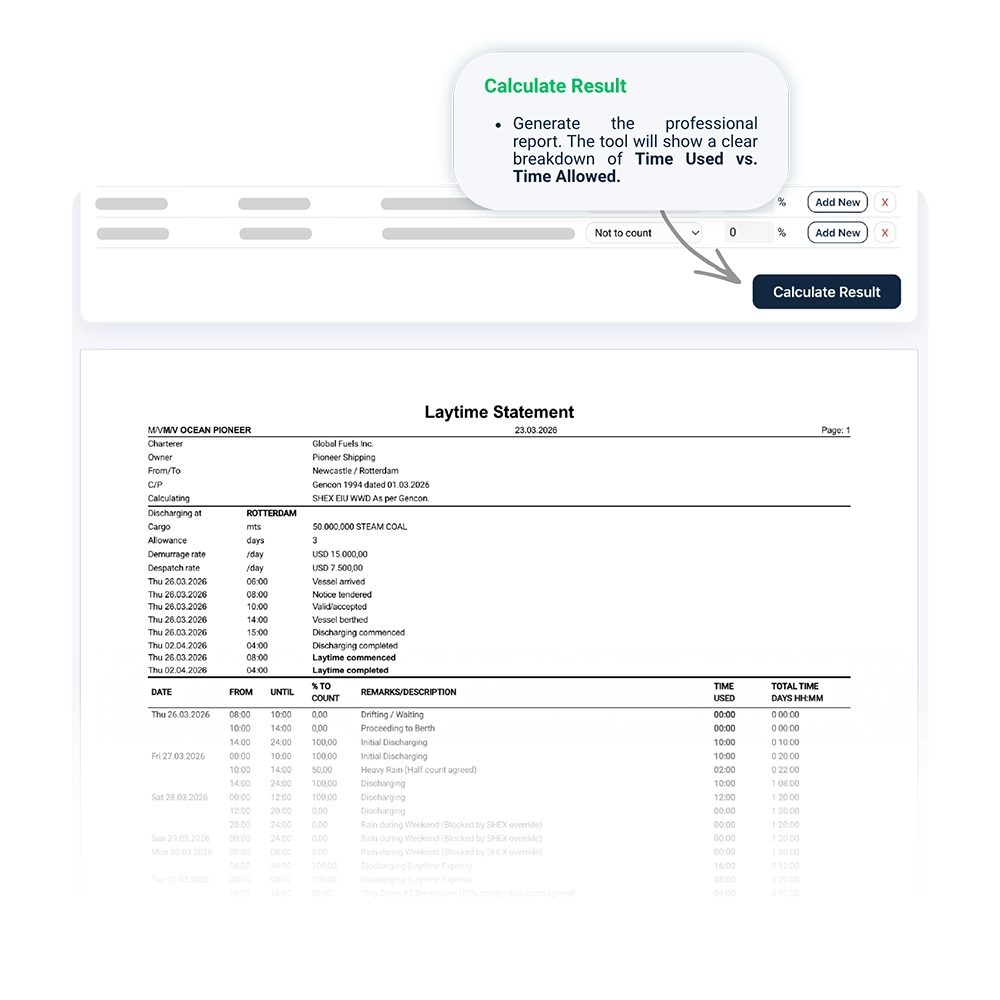
Calculate Result: Generate the professional report. The tool will show a clear breakdown of Time Used vs. Time Allowed.
-
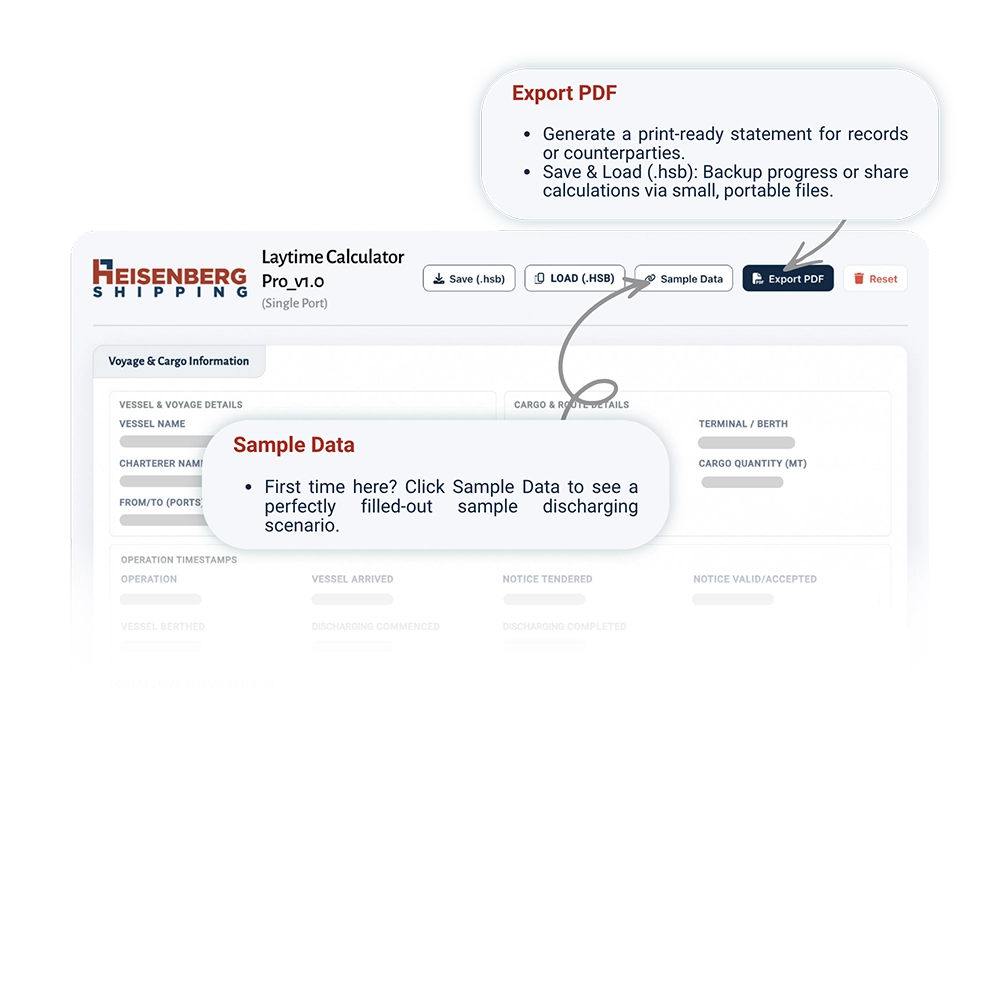
Export PDF: Save a clean, print-ready version of the statement for your records or to send to your counterparty.
-
Save & Load (.hsb): We don’t believe in “lost work.” Save your progress as a tiny
.hsbfile. You can email this file to a colleague, and they can Load it to see exactly what you’ve calculated. -
Sample Data: First time here? Click Sample Data to see a perfectly filled-out sample discharging scenario.
Feedback Please
Help us maintain top technical standards by sharing your feedback on calculation logic (WWD, SHEX, FHEX), .hsb file compatibility, and requests for new UI features or Charter Party template integrations.
Your insights are vital to the evolution of our dry bulk tools.
Support Desk
laytime-support@heisenbergship.com